Field notes8 min read
Fayne 1.0: your academy builds itself, and your learners practise
Fayne 1.0 is the biggest update since launch. Tell Fayne what you teach and it proposes your academy and builds the first course for free. Ask your Home who has gone quiet and get an answer from real data. And give your learners four new ways to practise, with coaching in words and never a score. Everything that changed, and why.
 Viktor Kacenak
Most online courses end the same way. Someone reads the lessons, clicks Next, maybe passes a quiz. Then the course is over and nobody knows whether they can actually do the thing.
Fayne 1.0 is built to change that ending. It is the biggest update since we launched, and it rests on three shifts. Your academy builds itself from what you already teach. Your Home answers questions about your learners. And your lessons make people practise instead of just read.
Here is everything that changed, and why.
54
new features
70
fixes
4
new ways to practise
Your academy builds itself
Starting an academy used to begin with a blank page, or with picking courses from a library that were not quite yours.
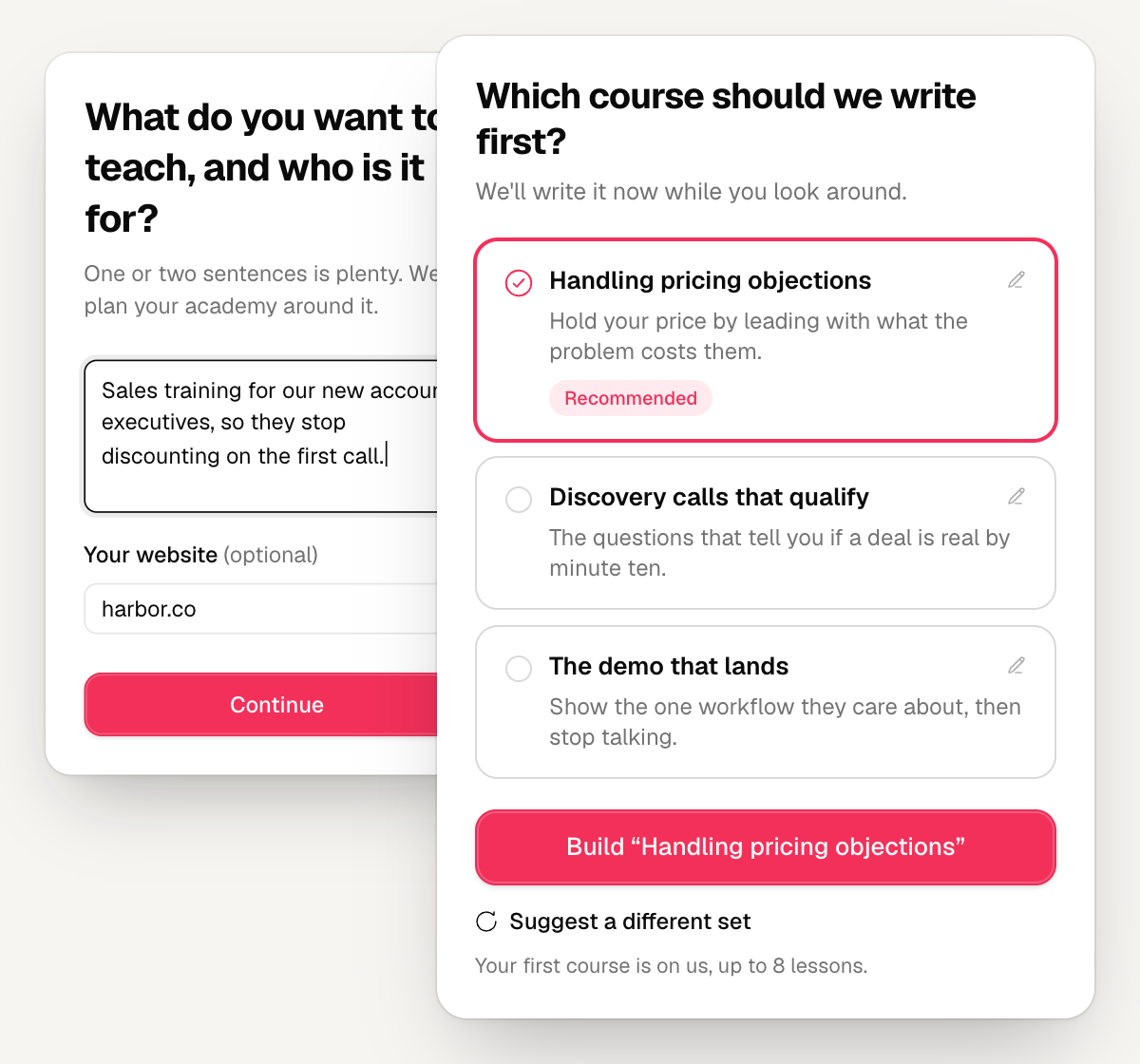
Now you start with a sentence. You tell Fayne what you teach and who you teach it to, add your website or your material if you have it, and Fayne proposes your academy: three or four courses with titles and short briefs, in the language your learners read.
It reads your website first. If you sell a product, a service or your own expertise, it notices, and if your site already publishes teaching content, it reads those pages and uses them. When your answer is vague, it asks a couple of follow-up questions instead of guessing.
Pick one course and Fayne builds it for free, up to eight lessons, while you look around your new dashboard.
- 1Say what you teach
- 2Add your material
- 3Pick your first course
- 4It builds while you look around
- 1Say what you teach
- 2Add your material
- 3Pick your first course
- 4It builds while you look around
The rest of your plan does not disappear. It waits in your courses list, in the In the works row, as briefs you can build whenever you are ready, from your AI credits (the free trial's 100 credits cover about one more short course). Not happy with the first plan? Suggest a different set and tell Fayne what should be different.
Not sure what to teach yet? Start from a ready-made course still opens the Explore Library.
Courses in minutes, lessons in three
Building a course used to mean a long conversation with the AI before anything happened. Now you type a topic or drop in your material, and Fayne drafts a brief: title, audience, the promise, the outcomes, three angles to choose from, and how closely to follow your own words. Change anything inline. Approve the outline. The lessons appear in order, top to bottom.
Prefer to talk it through? The chat is one click away.
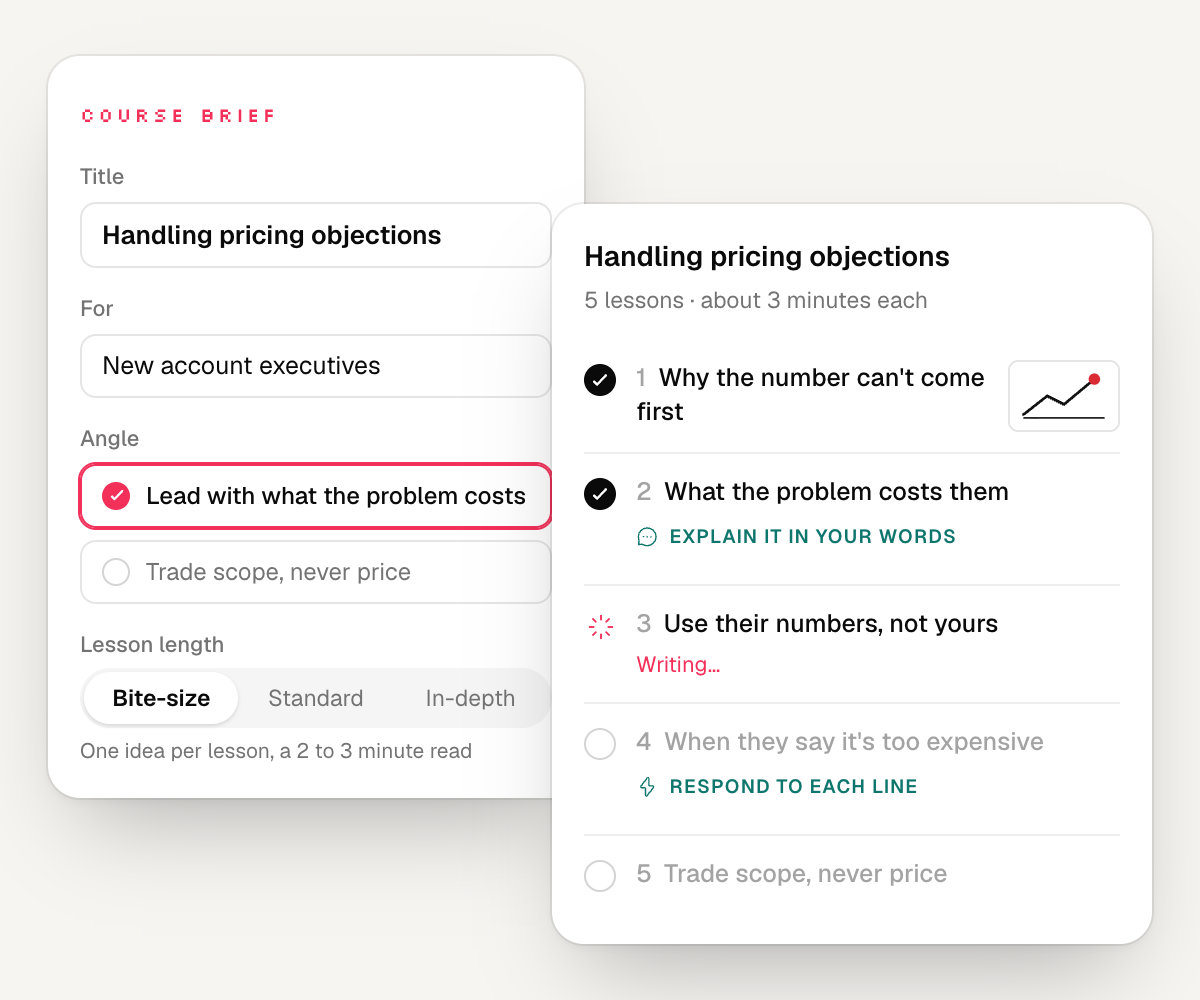
New courses are bite-size by default. One idea per lesson, 300 to 500 words, a two to three minute read. A big topic becomes more lessons, not longer ones, because people finish what fits in a coffee break. If you want Standard or In-depth lessons, pick them when you build.
Generated courses also arrive illustrated: three or four concept illustrations placed where they explain something, at no cost to you.
Your Home answers questions
A dashboard shows you numbers. It rarely tells you what to do next.
Your Home now opens with a question box. Ask it who has gone quiet this month, how your newest course compares with last month, or which lesson loses people, and it answers from your academy's real engagement data. Ask it for a course and it takes you straight to the course builder, with your request and any files you attached.
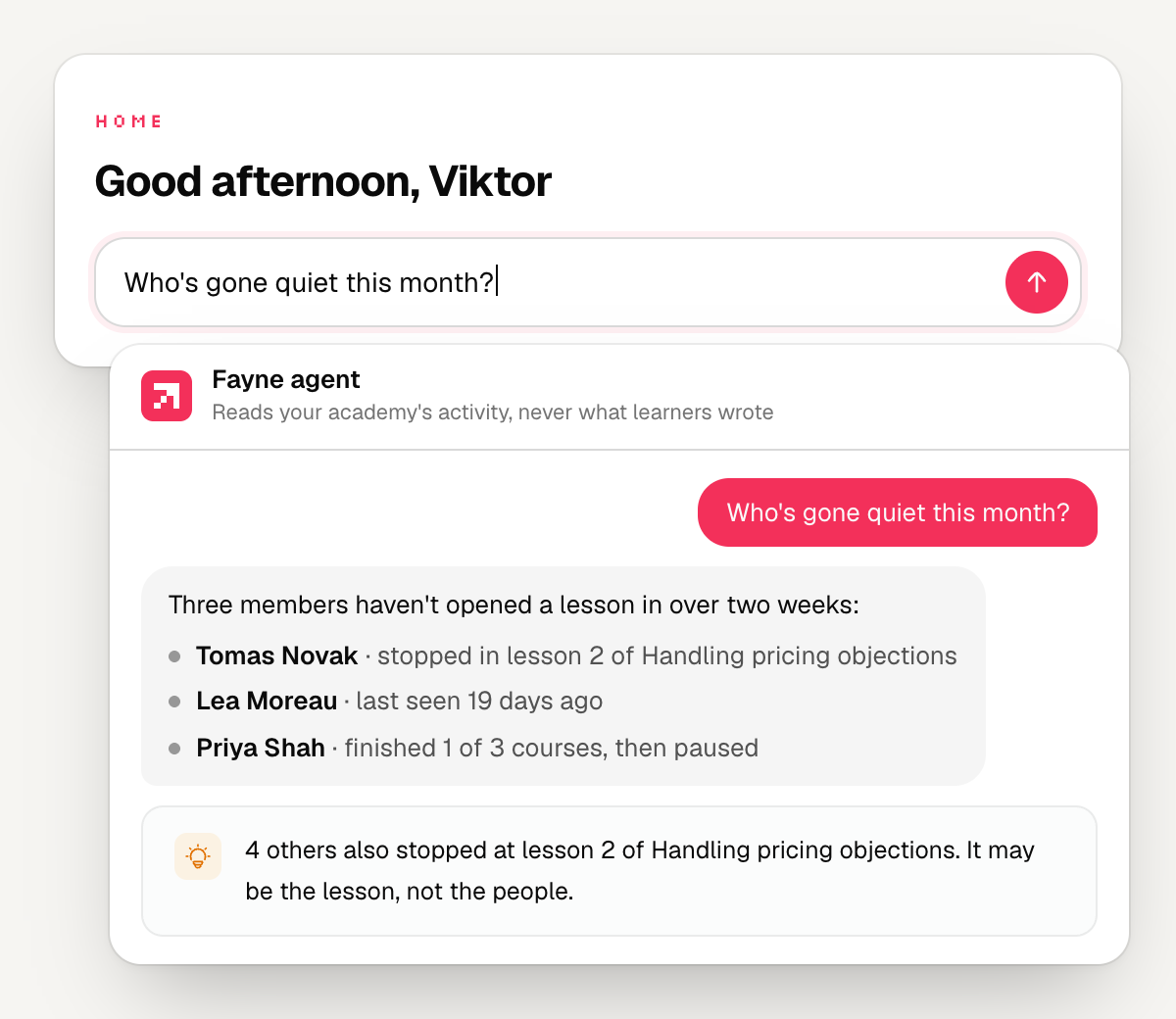
This works because of changes you will never see. Fayne now records when someone actually opens their first lesson, not just when they enrolled. It records how long they read and how far they scroll, when each member was last seen, and how they joined. "Started" finally means started, so the answers are real.
Below the question box, Home shows 30-day trends against the previous 30 days, how each course is doing, and a cleaner feed of what your learners did. New owners get a calmer first Home: their live academy, a short checklist, and their first course writing itself.
Planning chats also got cheaper.
AI credits per planning message
Your learners practise
This is the part we are proudest of.
Reading about a skill is not the same as having it. So Fayne 1.0 adds four practice blocks you can drop into any lesson. Each one asks the learner to do something with what they just read.
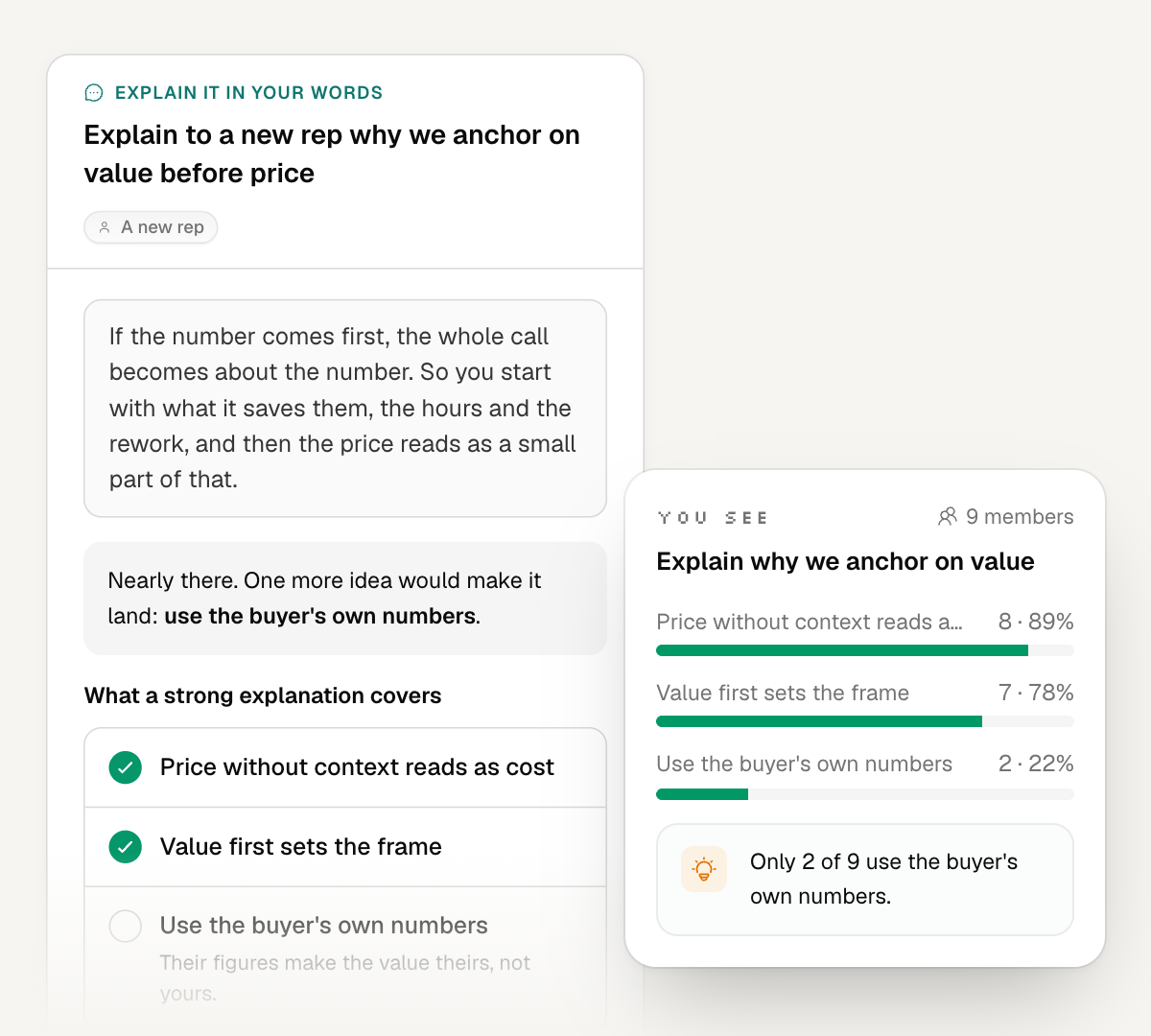
Explain it back. The learner explains the idea in their own words, typed or spoken, to someone specific: "Explain this to a client who thinks it is just budgeting." Fayne checks their explanation against the key points you wrote and tells them the one idea that would make it land. No score. Just the next thing to add.
Rapid-fire drill. Short questions, answered out loud or typed, to make the answer come quickly before they need it for real. Each answer gets a verdict in words: Strong, Getting there, or the point they missed.
Decision scenario. A branching situation where every choice leads somewhere. The learner makes the call, sees what happens, and reads why. Some endings are "It worked, at a cost."
Field mission. Learning that ends in the lesson is rehearsal. A mission asks the learner to go and do the thing, pick the day they will do it, and come back to say how it went. Fayne emails them that morning.
Three rules hold for all four.
Coaching in words, never a score. Nobody sees a percentage or a leaderboard. Scores make people perform for the number. Words make them try again.
You see signals, never their words. Your new Practice tab shows which key points people miss, how drills go, which endings they reach, and whether missions got done. What each learner wrote or said stays private to them, and people practise more honestly when nobody reads over their shoulder.
It costs you nothing to check. Checking an explanation, grading a drill answer and turning speech into text are free for you, and practice keeps working for your learners even if your credits run out.
Your Learning Assistant knows about practice too. Ask it for help with a drill and it coaches without handing over the answer.
Bring anything you already teach from
Your academy is only as good as the material behind it. The Knowledge area now takes PowerPoint decks, EPUB books and OpenDocument files, alongside PDF, Word, Excel and web links, up to 50 MB a file.
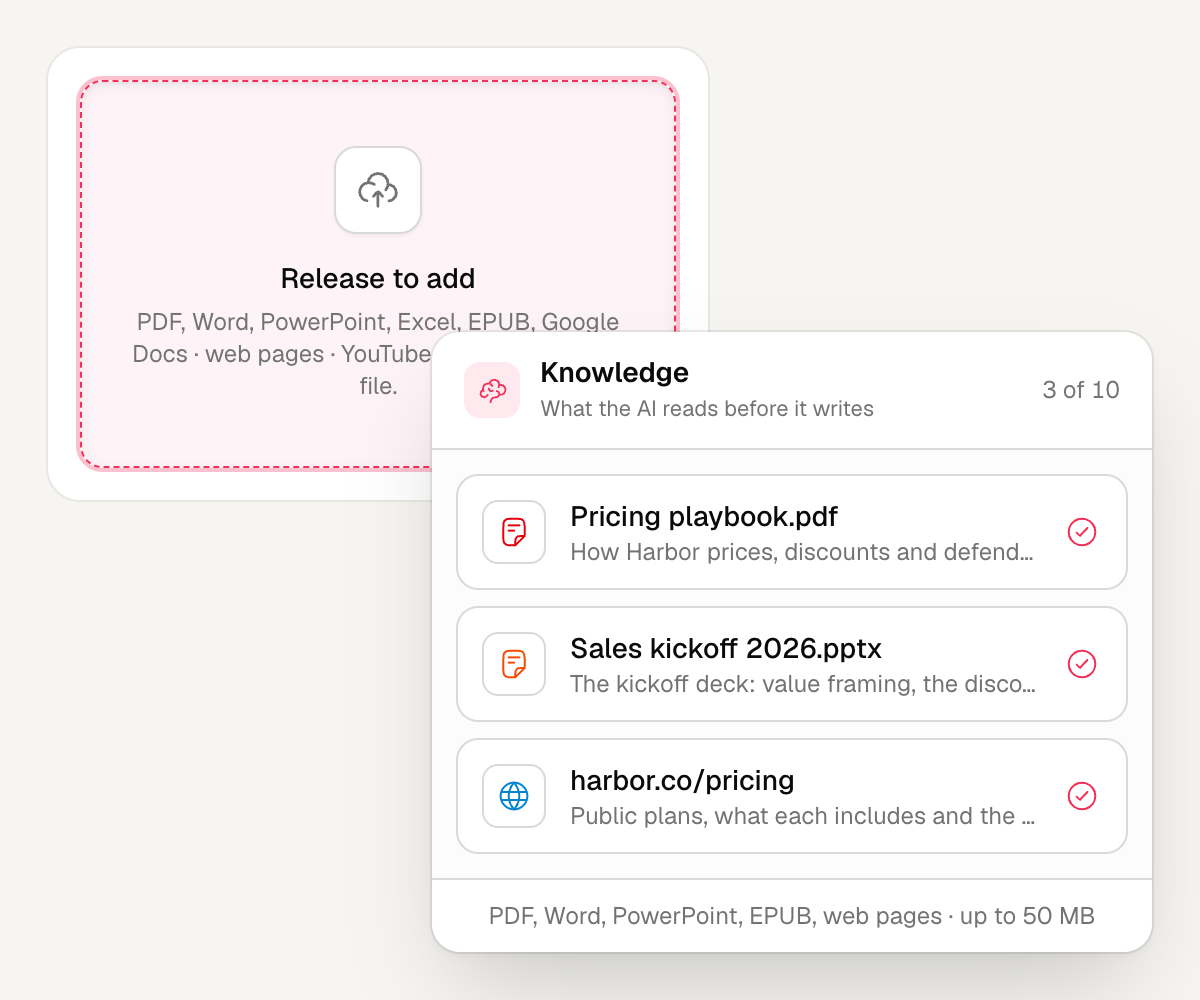
Drop ten files at once and keep working. Each shows Processing until it is ready, then gets a short description of what it is and what it is useful for. Click any source to see exactly what Fayne read from it.
A calmer editor
Block settings now open in a panel beside the lesson instead of on top of it. Every interactive block tells the learner what to do, "Pick one answer" or "Put them in order", instead of naming the block type. And AI-made widgets now match your lesson's look and follow it into dark mode.
In the Explore Library, search understands goals, not just titles. Type "I want to learn pricing" and it finds the courses that get you there.
Fixed along the way
Some things quietly did not work. They do now.
- The email that tells a learner their next dripped lesson is open now reaches everyone: learners you assigned, invited or added through the API, and people who bought a single course.
- Announcements reach every recipient, however large your academy.
- You and your admins no longer count as learners in your analytics, or against your seats, when you test a course.
- Spreadsheet uploads to Knowledge work as they should.
Why we call it 1.0
Until now, Fayne helped you write courses. That was useful, and it was not the whole job.
The job is people who can actually do what you teach. Fayne 1.0 is the first version built around that: an academy that starts from what you know, lessons short enough to finish, practice in every lesson, and a Home that tells you who is getting there and who needs a nudge.
Everything is live in your academy today. Open it, ask your Home one question, and add one practice block to the lesson that matters most. Then tell us how it went. We read every reply.
 Viktor Kacenak
 Tomas Placko